Billing
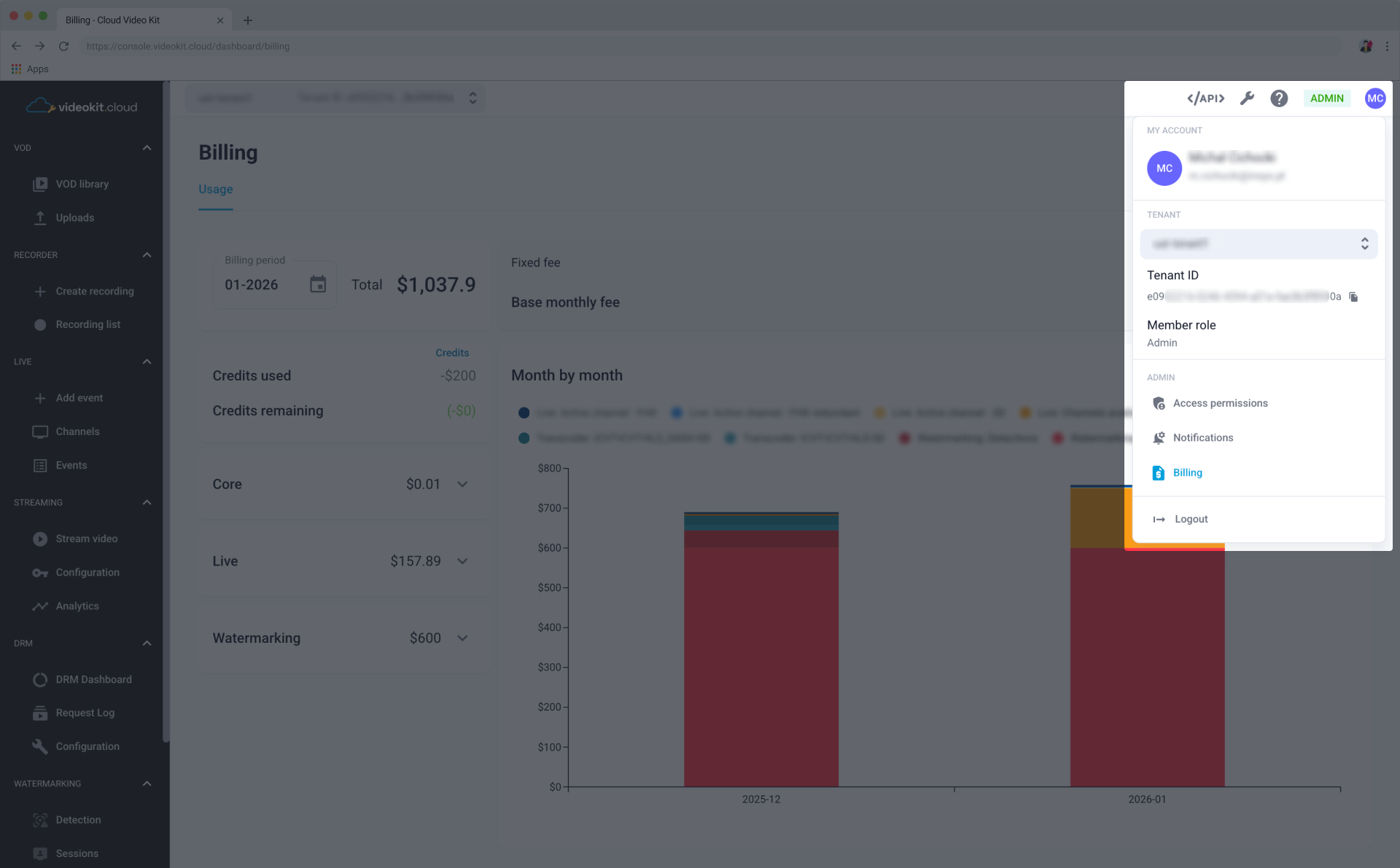
To access your billing and usage information, open "My account" tab by clicking on your avatar in the top right corner of the header, and select Billing from a drop-down menu:
Usage
The Usage tab allows you to track your spending and service activity for specific timeframes.
Billing Summary
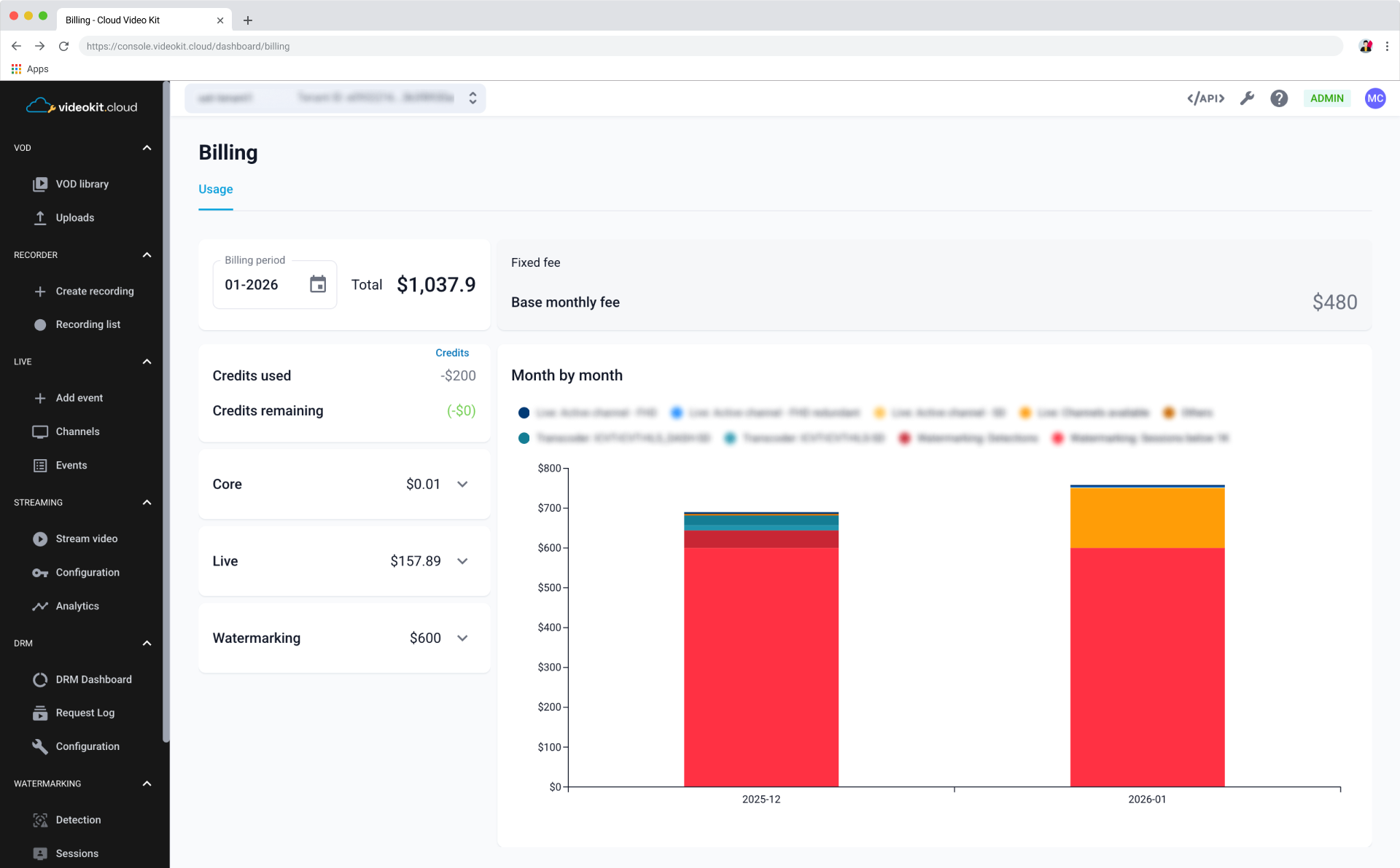
On the left side of the dashboard, you can find a summary of your financial status for the selected period:
- Billing period: Use the date picker to select the month and year you wish to review.
- Total: Displays the total amount due for the selected billing period.
- Credits: Displays Credits used and Credits remaining applied to your account.
info
The dashboard provides a categorized breakdown of costs for different modules.
Month by month visualization
The Month by month stacked bar chart allows you to compare your usage across different billing cycles. The chart is color-coded to represent various service components.