Web: VideoJS player
Video.js integration with DRM assets
The provided application demonstrates how to use the Cloud Video Kit service with the open-source Video.js player (and videojs-contrib-eme extension) to play DRM-protected content. It shows how to handle different DRM systems supported by various browsers and devices. For further information on platform compatibility and supported DRM systems, please visit the following link: https://www.drm.cloud/platform-compatibility.
The code sample below detects the DRM systems supported by the user's browser and selects the appropriate one for playback. The application includes an express.js web server responsible for generating DRM tokens and serving the webpage.
Installation
Github example respository link
Requirements:
Node.js version 18 or higher
Installation steps:
- Type
npm installin the terminal. - Run the
npm run startcommand.
Required data
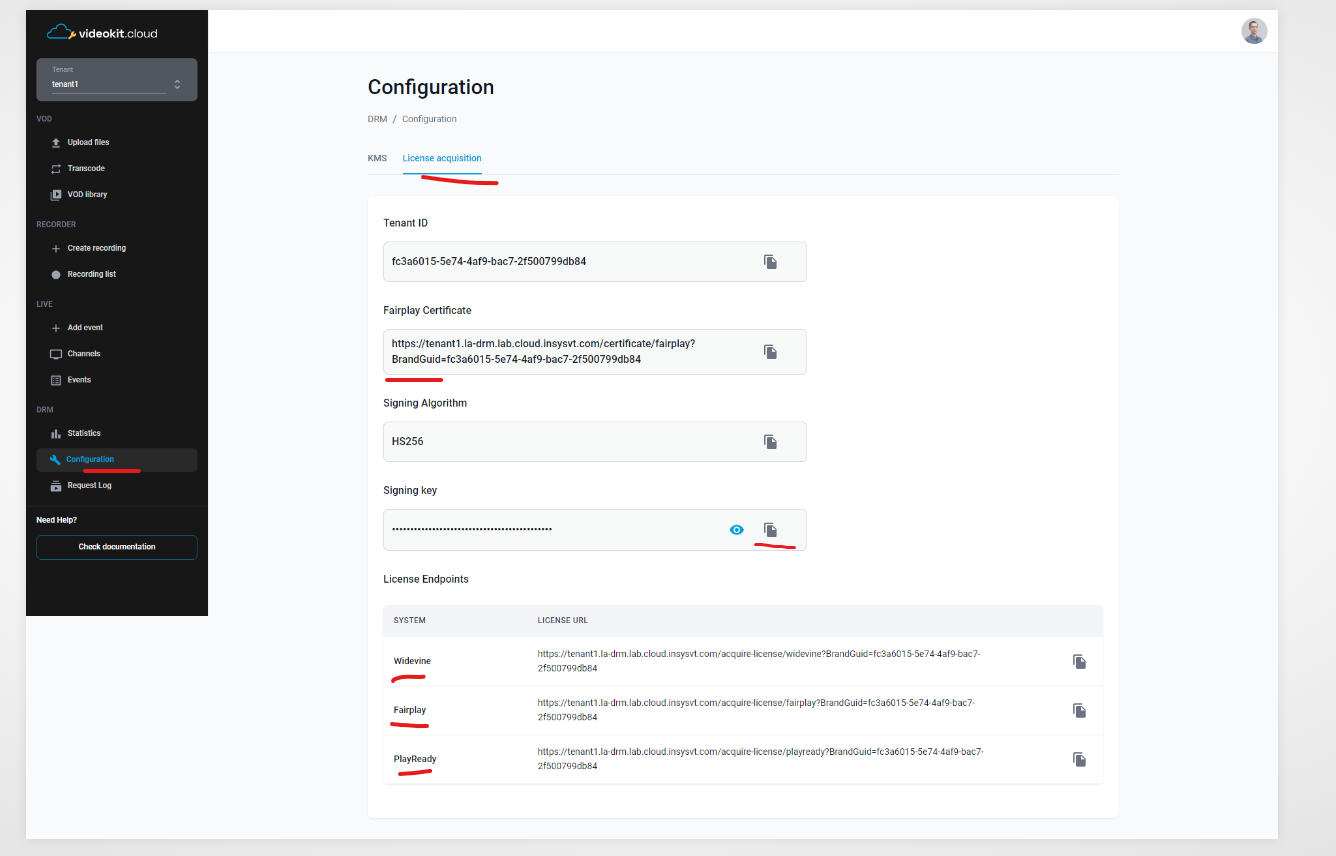
The code sample requires certain data to function properly. You need to provide the following information:
- FairPlay certificate URL
- FairPlay server license URL
- PlayReady server license URL
- Widevine server license URL
- DRM signing key
Please fill the .env file with these details. The URLs can be obtained from the DRM console settings page.
How it works
- The user requests a page with DRM content.
- The server generates a short-lived JWT User Token, which consists of DRM configuration and is used for authentication (for more information, read license acquisition sequence). The server includes the User Token as part of the served page.
const jwt = require("jsonwebtoken");

function getDrmToken() {
  const expirationDateUnixTimestamp = Math.floor(Date.now() / 1000) + 60 * 10; // short-lived token, eg. 10 minutes

  return jwt.sign(
    {
      exp: expirationDateUnixTimestamp,
      kid: ["*"]
    },
    Buffer.from(process.env.SIGNING_KEY, "base64"),
    { algorithm: "HS256" }
  );
}

app.get("/", async function (req, res) {
  let index = fs.readFileSync(path.join(__dirname, "index.html"), { encoding: "utf8" });
  const userToken = getDrmToken();

  ...

  if (userToken) {
    index = index.replaceAll("%USER_TOKEN%", userToken);
  }

  return res.send(index);
});
- The User Token is added as a parameter to the DRM server license URLs.
- The application recognizes the DRM system supported by the user's browser, selects the appropriate one, and calls the license server.
- When the license server returns the license, the player is allowed to play the DRM video.